Examine
Examine is where a snapshot becomes understandable. You open one capture, sit with its data, and leave with answers instead of guesses.
Why Examine exists
A .deepsnap file is durable, but durability alone is not enough. You still need a fast way to ask: what did we actually save? Which field looked wrong? What should I attach to this bug ticket?
Examine is that focused reading room. It is not another top-level mode competing for attention. You enter from Snapshots, inspect one capture, then return to the library with Esc or Close.
Open a capture when questions appear
From Snapshots, open Examine by double-clicking a file, using the File menu, or choosing Examine from the context menu. DeepSnap replaces the library body with the viewer so you can concentrate on one object graph at a time.
Use it when:
- A teammate asks what the "good" setup looked like last week
- You need searchable proof before changing a Prefab again
- You want the raw JSON shape before importing it elsewhere
- You are preparing evidence for a regression or support thread
Read the data the way you think
Examine gives you two complementary views.
Properties
Browse a searchable tree of captured values when you are hunting a specific field. Expand what matters, collapse the noise, and keep identity chips nearby for backend, asset path, created time, and kind-specific details.
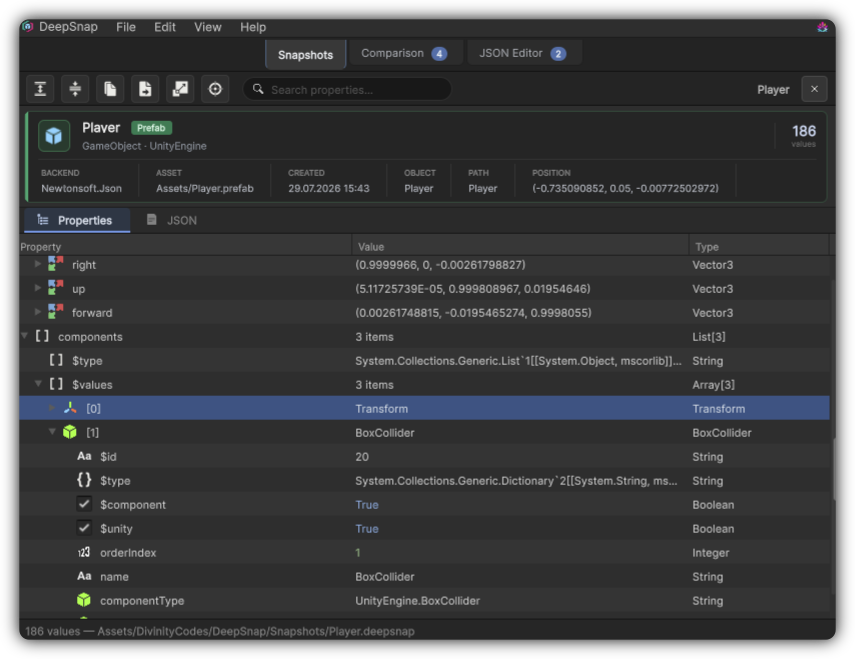
Properties view: a searchable tree of the captured object graph.
JSON
Read the exact payload shape with syntax highlighting when format and structure matter more than field-by-field browsing.
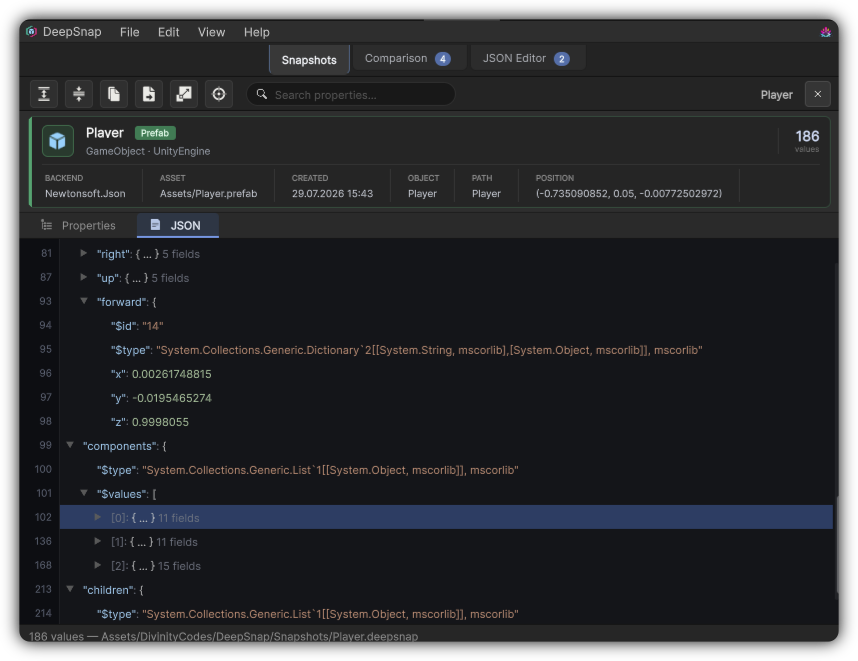
JSON view: the raw payload with syntax highlighting.
Set your preferred default in Preferences. Optionally expand the whole Properties tree on open when you always want the full picture immediately.
Share the proof, not the anecdote
When the capture needs to leave Unity, export it as JSON, HTML, or Markdown. Copy the JSON payload when a quick paste is enough. Reveal the file on disk or ping the source asset when you need to reconnect the freeze to the live project.
That turns "it used to work" into something a teammate can open and verify.
Leave when you are done
Close Examine and you are back in Snapshots at the folder you came from. The capture stays in the library, ready for the next question or for a Comparison against a newer freeze.
Examine is the habit that makes snapshots pay rent every day: capture once, read often, decide with evidence.